Here is the D-Day Keep 1.6.6 update. In this version, you can create a day that comes around every year, like a birthday or an anniversary, just once and keep using it. The update is now live in both the Android and iOS stores, so you can update right away. We have also summarized what changed in 1.6.4 and 1.6.5 since our last notice (1.6.3).
Repeat birthdays and anniversaries every year
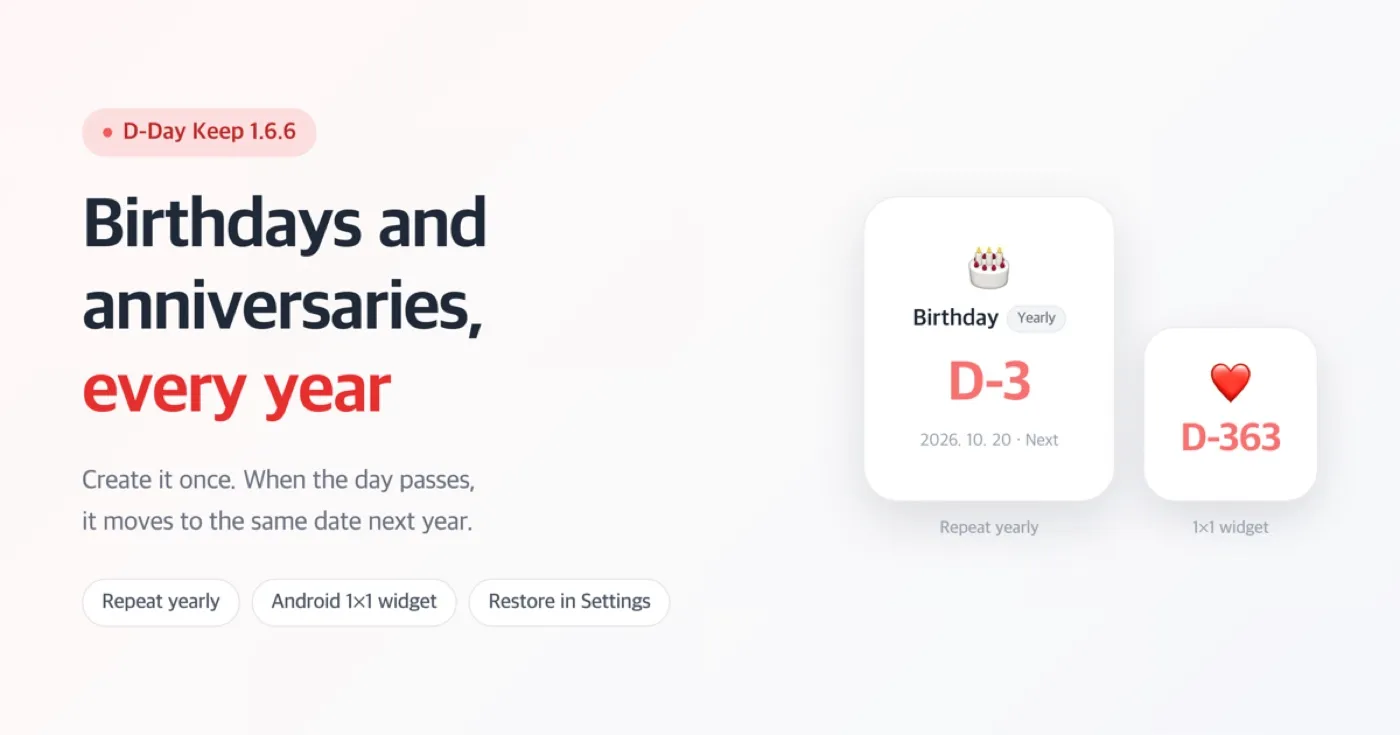
When you add or edit a D-Day, set Repeat to 'Yearly'. Once the day passes, it automatically moves to the same date next year. You no longer have to create the D-Day again every time a birthday passes.
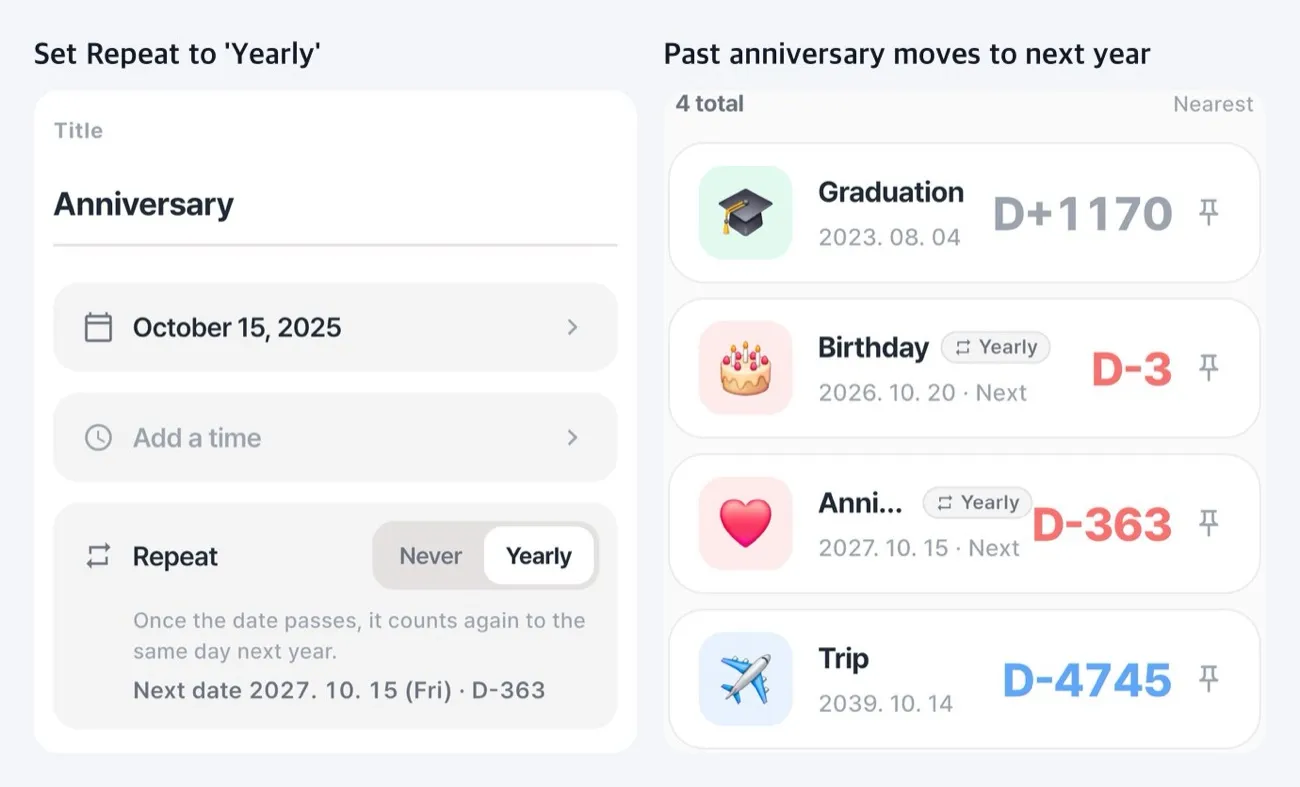
- Both the app and the home screen widget switch to next year's date.
- A D-Day set to Yearly does not turn into 'D+'. It always shows the days left until the next occurrence.
- Notifications are also rescheduled for the next occurrence.
- A D-Day set on February 29 is counted as February 28 in non-leap years.
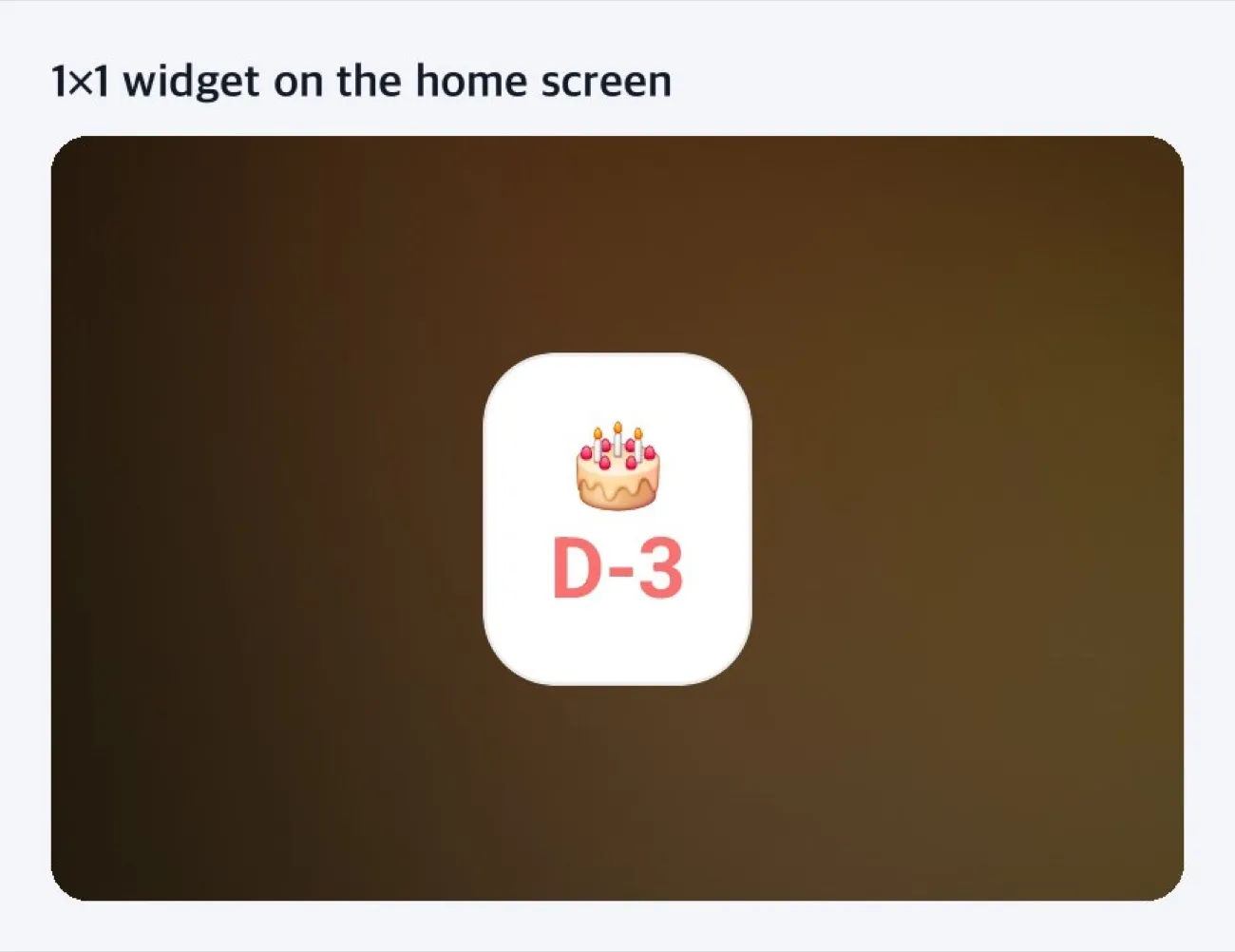
Android now has a 1×1 widget, the smallest size
This 1×1 widget shows only an emoji and the number of days left. It takes up a single spot on your home screen, so it fits nicely among your app icons. This widget is available on Android only.
Restore purchases right from Settings
If you have reinstalled the app or switched devices, tap Settings > Restore purchases. Previously, you had to open the 'Support & Remove Ads' screen to find it. We also fixed an issue where the restore result window appeared twice.
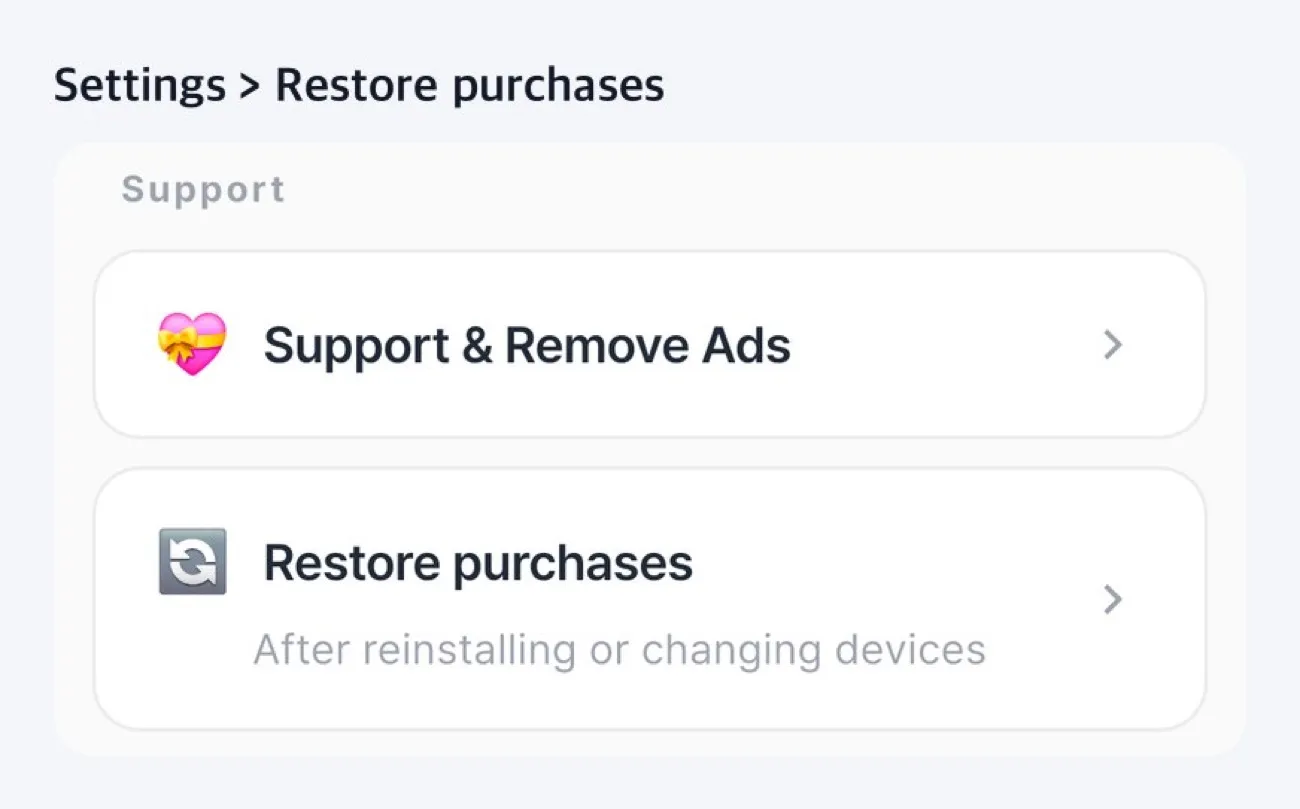
On iPhone, ad removal you received with an App Store code can also be restored the same way.
What changed in 1.6.4 and 1.6.5
- Fixed an issue where the 'Past' label on iOS home screen widgets broke onto two lines.
- Corrected the text on the app's first screen and in the widget guide to match what the app actually does.
- Corrected the number of supported languages in the store description to the actual number, 20.
- Polished some on-screen text and store listings.
Download
- Android: https://play.google.com/store/apps/details?id=com.codesandkr.dkeep
- iOS: https://apps.apple.com/app/id6772022931
- App page: https://codesand.co.kr/en/app/dkeep
Contact: dkeep@reply.codesand.co.kr