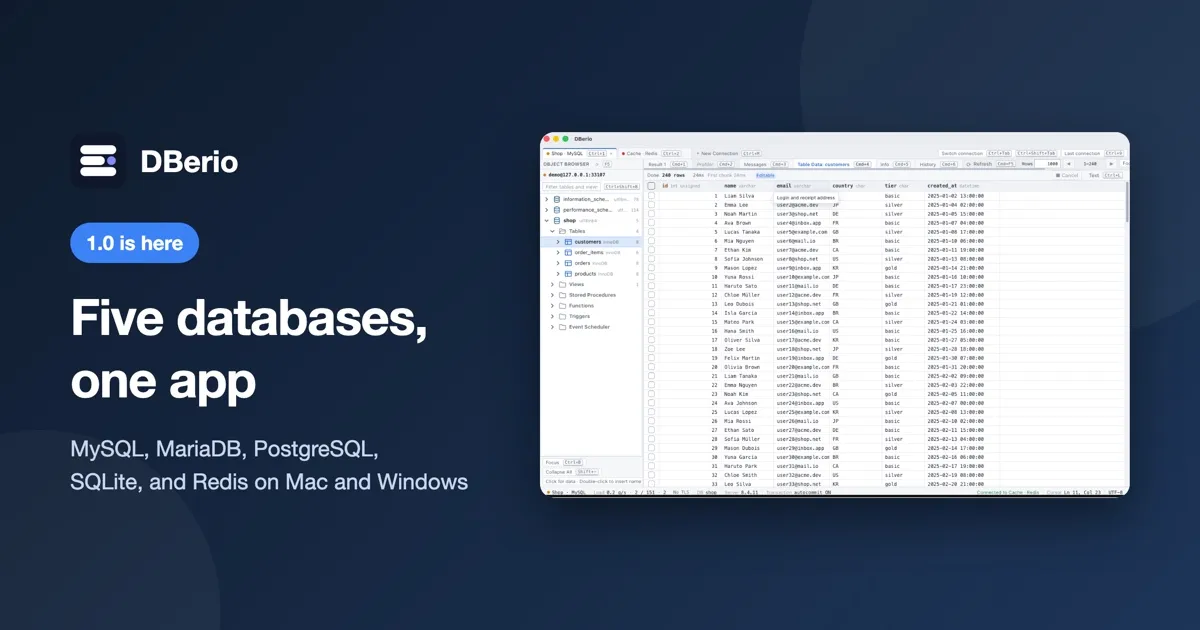
DBerio 1.0 is out. DBerio is a database management app that lets you work with MySQL, MariaDB, PostgreSQL, SQLite, and Redis in one place. You can get it from the Mac App Store on Mac and from the Microsoft Store on Windows.
1. Building apps with AI? Manage the database with DBerio
These days you can describe an app to an AI and have it built for you, and more and more people are shipping their own services through vibe coding. Apps built this way mostly store their data in MySQL, MariaDB, PostgreSQL, SQLite, or Redis. Supabase runs on PostgreSQL, so it falls into the same group.
Once an app is running, sooner or later you will need to open the data and fix something by hand. Each database tends to come with its own management tool, though, so the more projects you take on, the more programs you end up installing. We built DBerio so you can manage all five of these databases from a single app.
2. Add, edit, and delete data right in the table
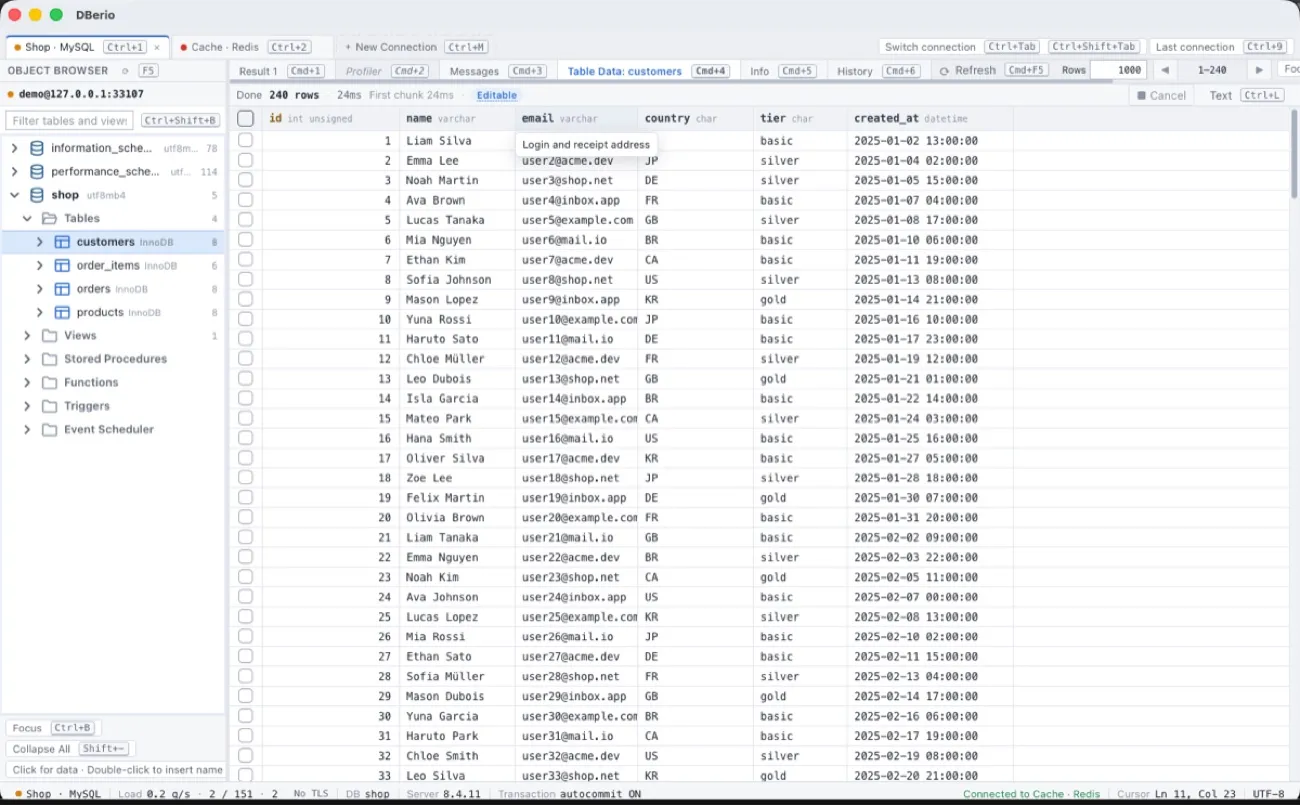
Open a table and your data appears in a grid. You don't need to know SQL: double-click a cell, change the value, and save. Adding or removing rows happens in the same grid. Large result sets are loaded in chunks, and you can cancel a running query at any time.
3. See the SQL before your table structure changes
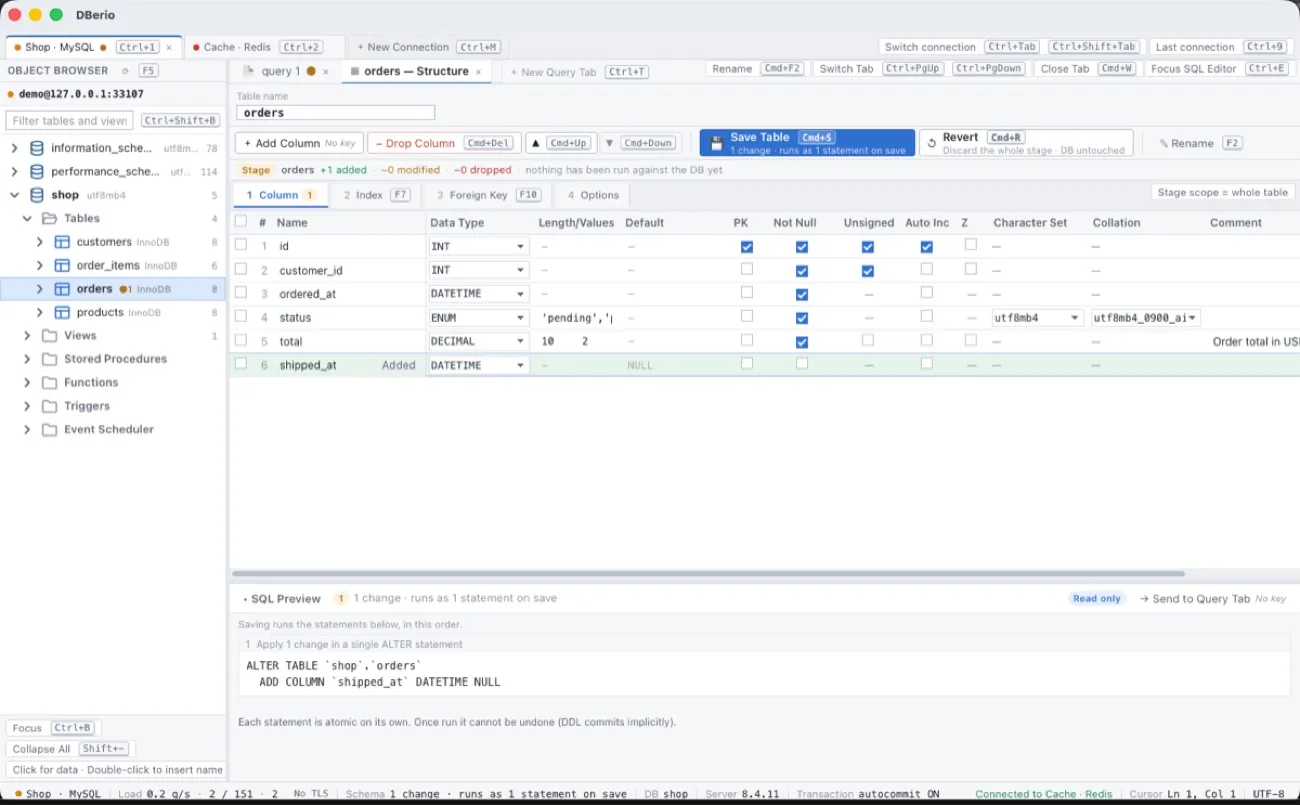
When you add a column or change a column type, DBerio does not apply it right away. It first shows the exact SQL that will run at the bottom of the screen. Once you have checked it and saved, the change is applied to the database. If you change your mind, you can roll back every pending change.
4. Redis works in the same window
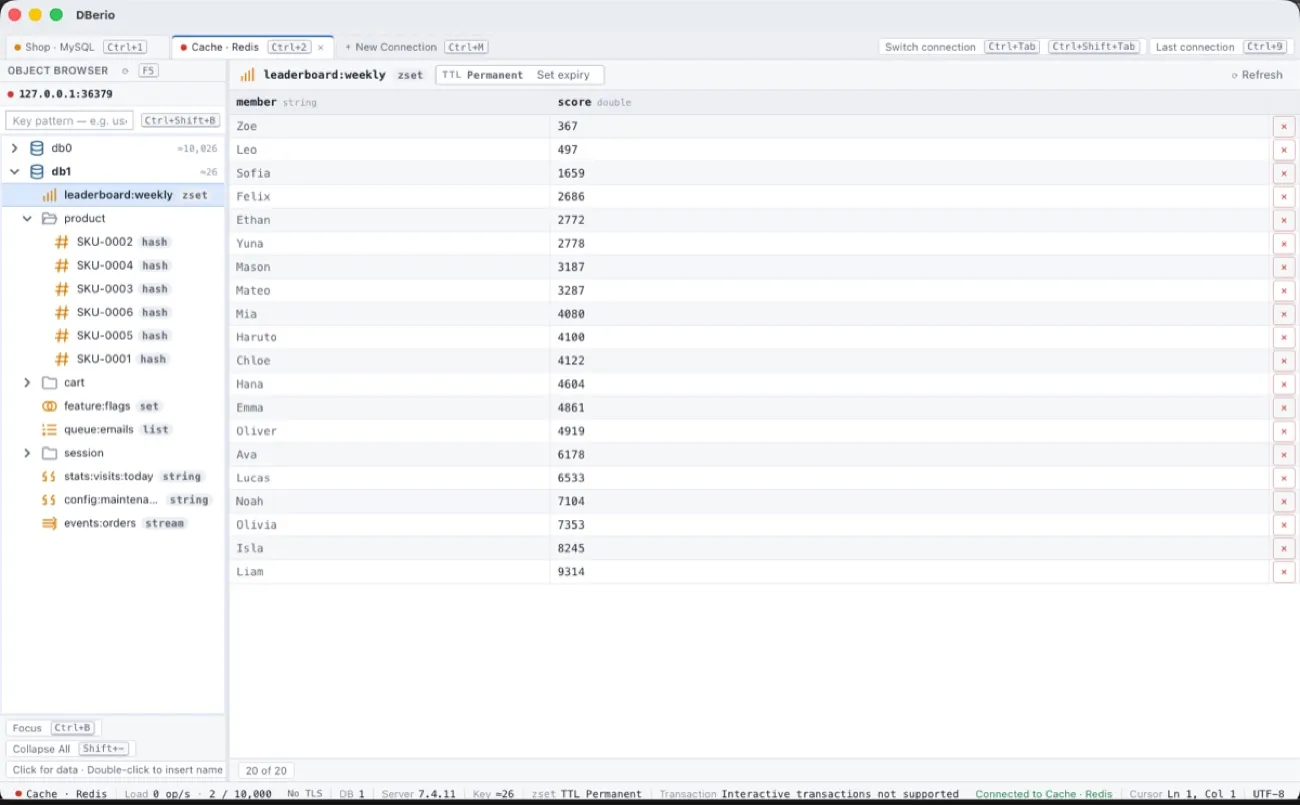
Redis keys are grouped like folders, and hash, list, set, sorted set, and stream values each open in a view that fits their type. Keys are only ever read with the SCAN command, so your server keeps running smoothly even when there are a lot of keys.
5. Protecting your credentials and production servers
- Passwords are stored in the macOS Keychain or Windows Credential Manager and never written to settings files.
- SSH tunnels and TLS connections are supported.
- Connections marked as production turn the tab and status bar red, so you can tell them apart at a glance.
- The app has no sign-up, no login, no usage analytics, no crash reporting, and no ads.
DBerio looks and works the same on Windows and macOS. If anything feels awkward or there is a feature you need, let us know at the address below. We will use your feedback as we plan the next update.
"DBerio": one place to manage the databases behind your AI-built apps
Connect to MySQL, MariaDB, PostgreSQL, SQLite, and Redis, edit data in the grid, and change table structures with DBerio
📲 Download DBerio
🔗 Website: https://dberio.com
✉️ Contact: dberio@reply.codesand.co.kr
MySQL, MariaDB, PostgreSQL, SQLite, and Redis are trademarks of their respective owners. Redis is a registered trademark of Redis Ltd. Any rights therein are reserved to Redis Ltd. DBerio is not affiliated with these owners.