We're announcing the Sound Meter 1.1.0 update for our noise meter app for neighbor noise. The update is now live on both Android and iOS. What changed differs a little by store, so we've listed each one separately.
Fixed the app closing during recording playback
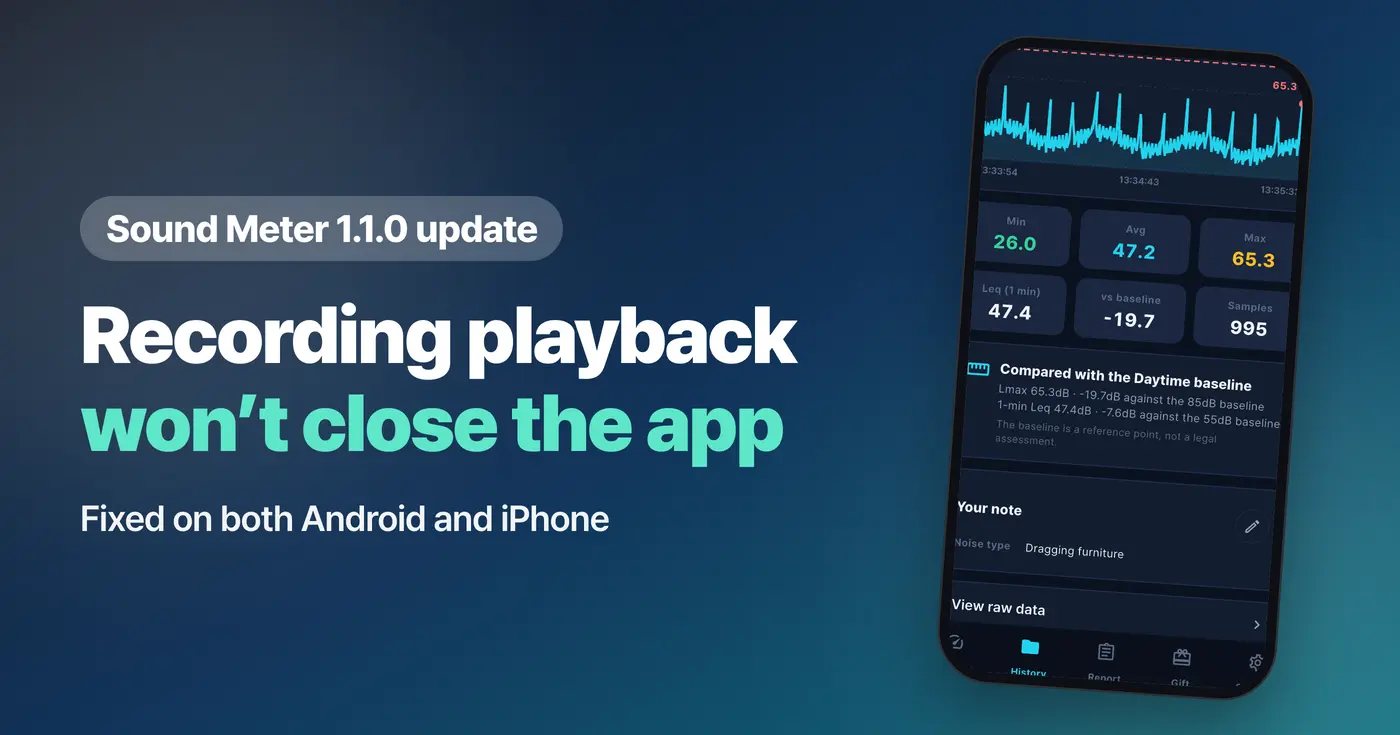
We fixed a problem where the app closed while playing back a recording from a saved session. This fix is included on both Android and iPhone.
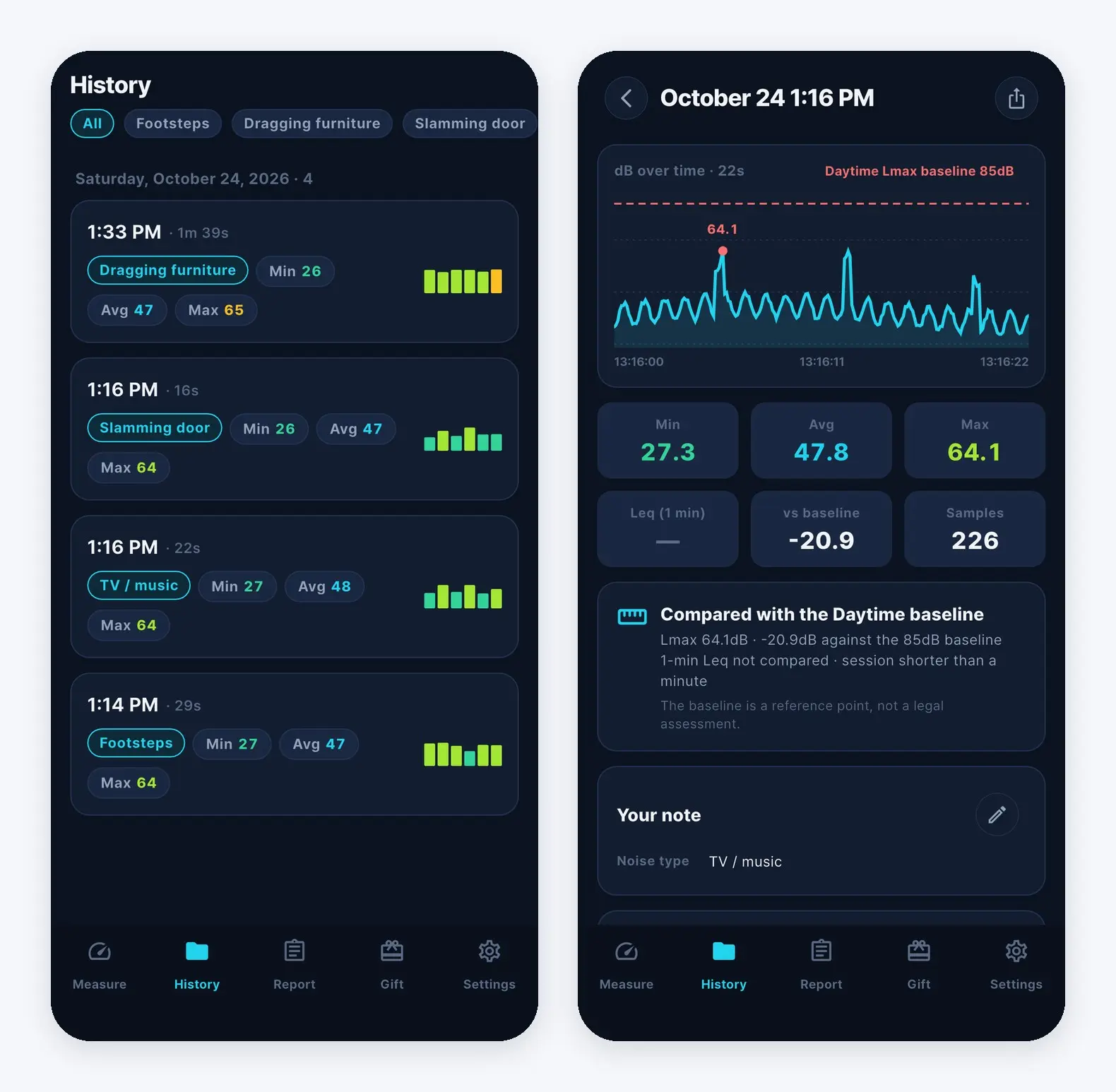
With a noise meter app for neighbor noise, the sound you heard at the time matters as much as the numbers in your log. After the update, you can open a session in the History tab, tap "Play recording," and listen all the way through.
What changed on Android
When you get 1.1.0 from Google Play, these three things change together.
- We fixed a problem where the app closed while playing back a saved recording.
- We removed the empty space left on screen when an ad isn't shown.
- We adjusted the spacing on the measuring screen so the number and the unit (dB) no longer look stuck together.
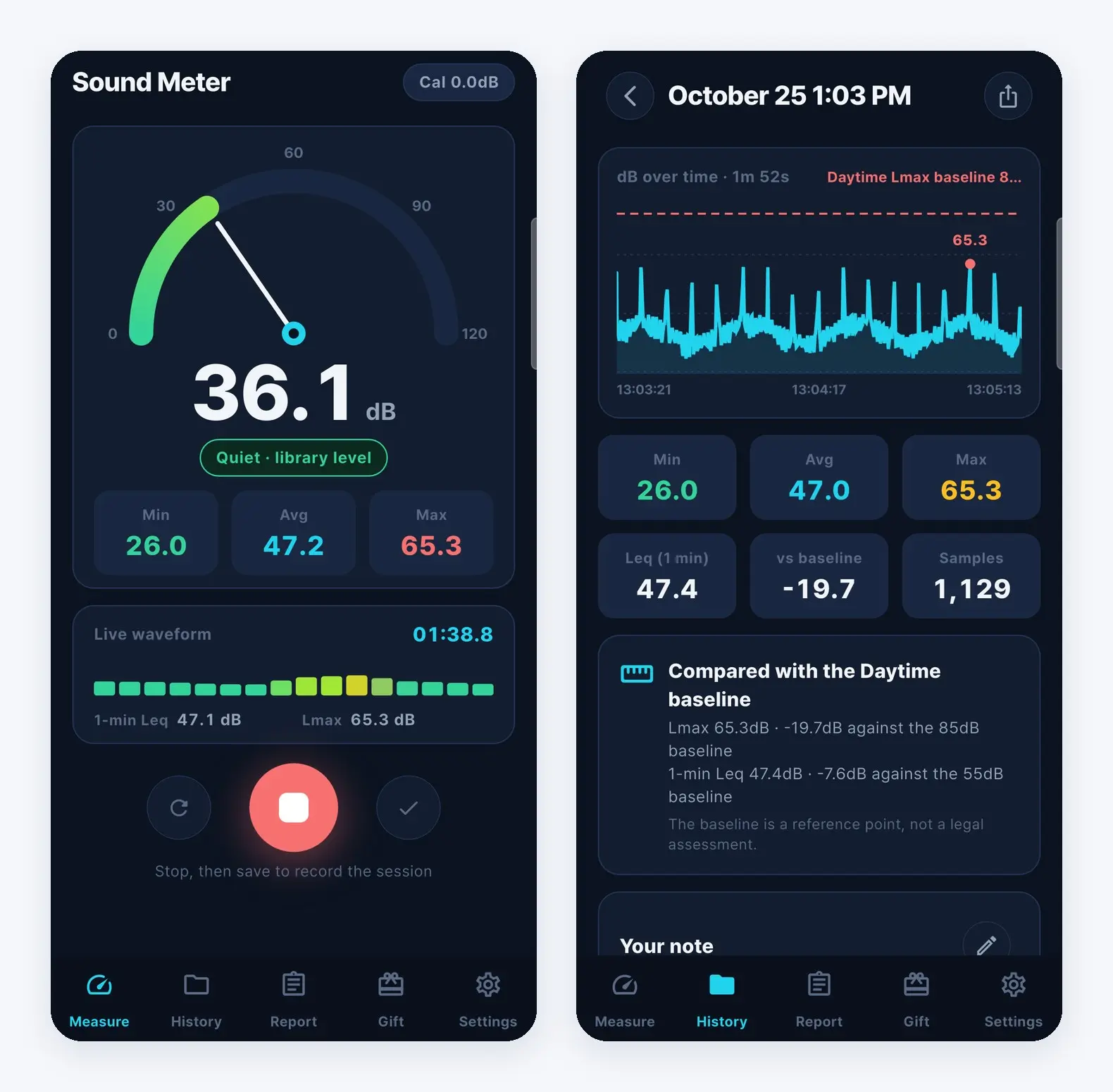
The measuring screen is the one you look at the longest while using a noise meter app for neighbor noise. Now the live reading and the dB unit sit apart instead of running into each other.
What changed on iPhone
App Store 1.1.0 fixes the problem where the app closed while playing back a saved recording. On iPhone, this fix is the only change; all other screens and features are the same as before.
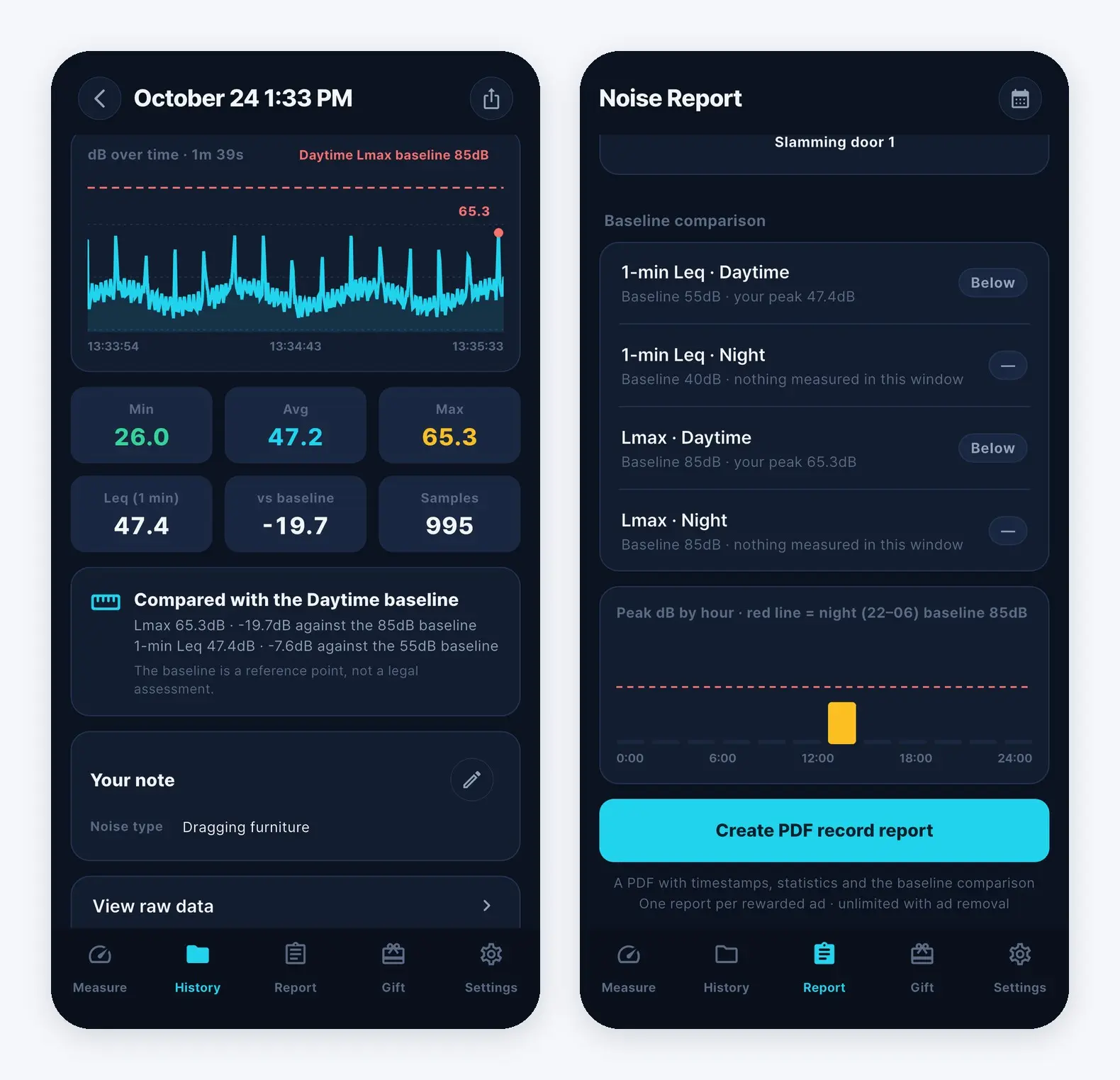
As before, you can see dB over time and the difference from the baseline in session details, and review your measured sessions together in the Noise Report.
How to keep records with a noise meter app for neighbor noise
For first-time users, here are the steps for keeping records with Sound Meter, a noise meter app for neighbor noise.
- Start measuring in the Measure tab, then stop and save to keep the session.
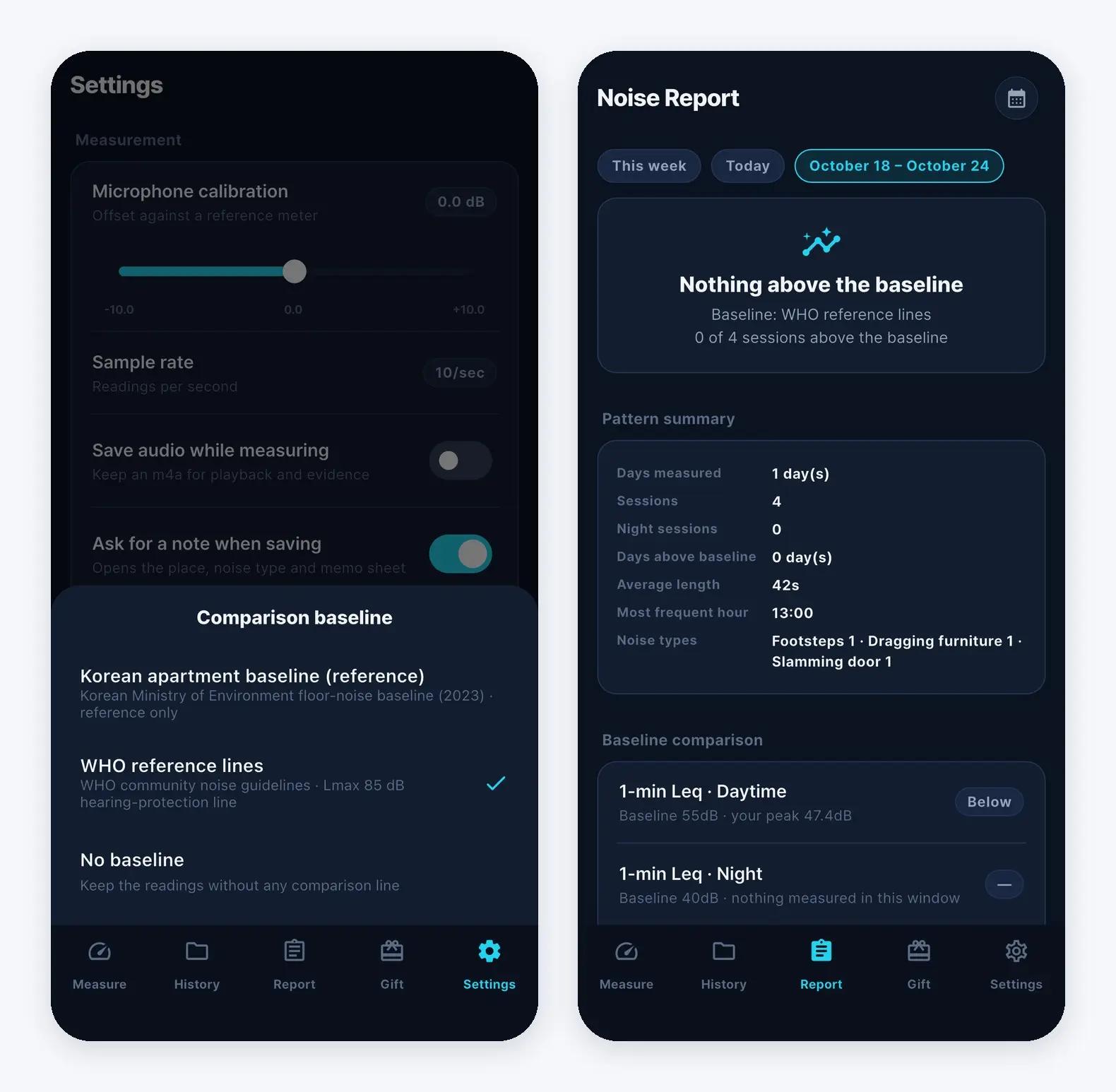
- If you choose a comparison baseline in Settings, you can see the difference (dB) from that baseline when you open a session in the History tab. You can choose from Korean apartment baseline (reference), WHO reference lines, or No baseline. The baseline is a reference line for comparison.
- On the same screen, you can use Play recording, View raw data, and Export CSV.
- In the Report tab, you can pick a period such as This week or Today to review the measurements from that time together, and use "Create PDF record report" to make a PDF for your records.
If footsteps from upstairs or late-night noise bother you, measure and log it as it happens with Sound Meter, a noise meter app for neighbor noise.
Download
- App Store: https://apps.apple.com/app/id6800283018
- Google Play: https://play.google.com/store/apps/details?id=com.codesand.noisemeter
- About the app: https://codesand.co.kr/en/app/noisemeter